


How to reconnect your account with Open Banking.
Follow the steps below to reconnect your account in Feijoa using the new official Open Banking connection. This usually only takes a minute or two.
Important: please complete this before November 4th or your current bank connections will stop working.
Already tried once? Some customers opened Akahu, then returned to Feijoa without tapping the switch option. If that happened, the migration did not complete.
Step 1
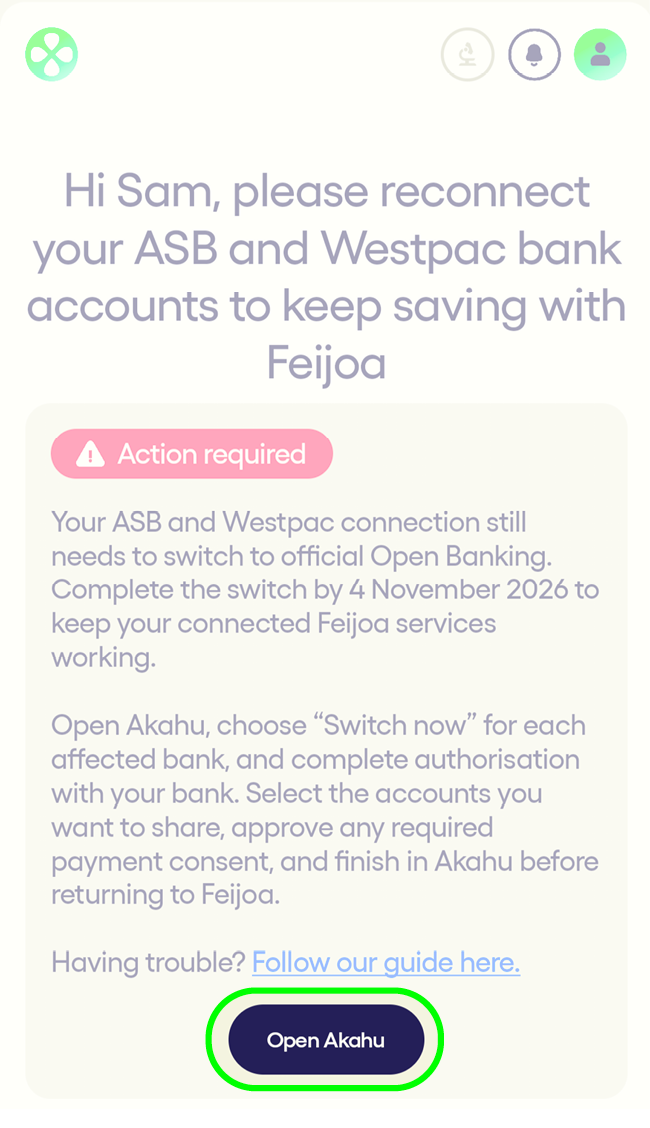
Open Feijoa and tap “Open Akahu”
Start from the reconnect prompt in Feijoa.
Step 2
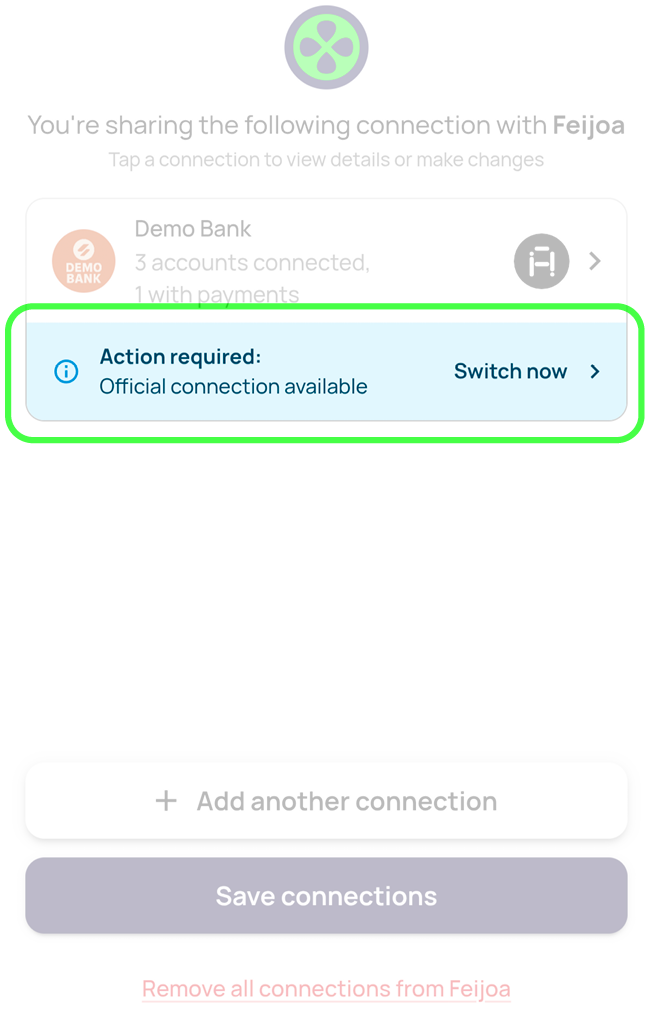
In Akahu, tap “Switch now”
This is the most important step. You must tap “Switch now” to begin the migration.
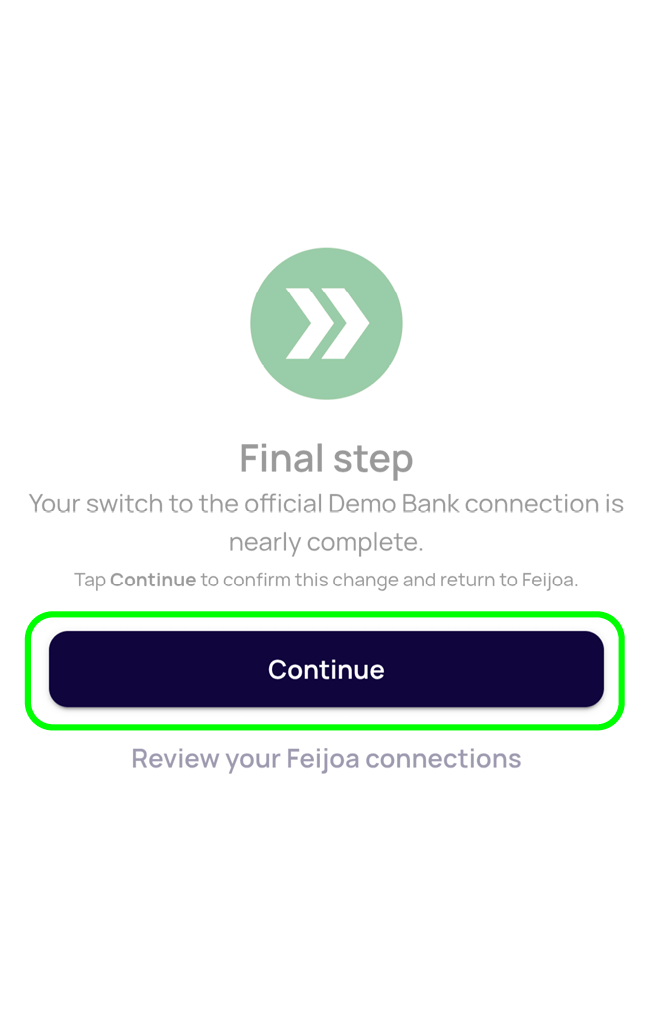
Then follow the bank prompts to reconnect your account for banking information and payments.
Do not just return to Feijoa at this point — the switch must be completed first.
Step 3
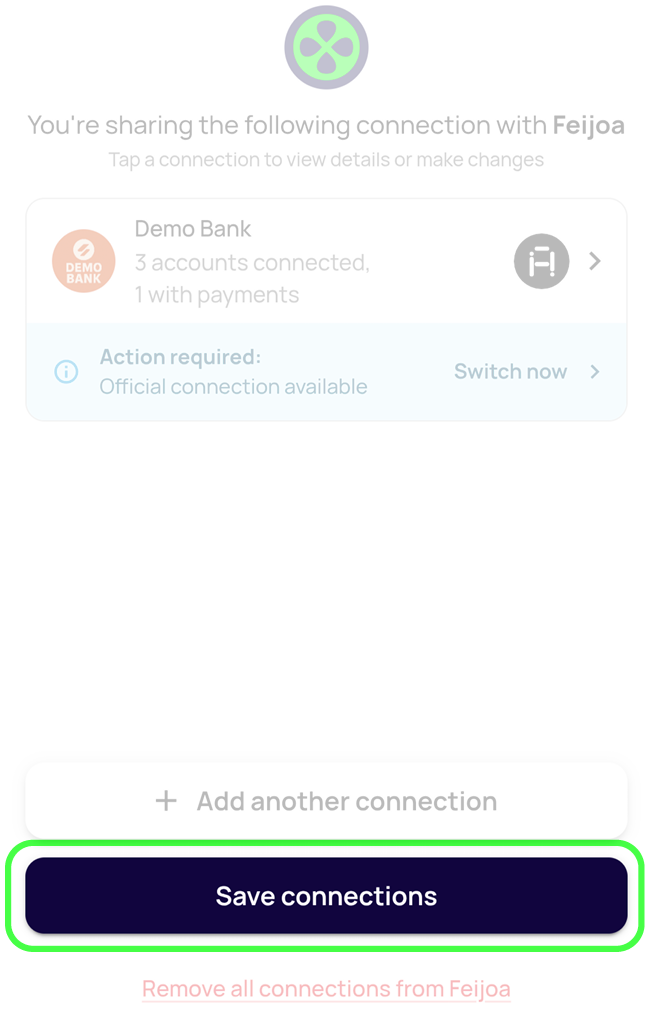
Return to Feijoa and tap “Save connections”
Once Akahu sends you back, tap “Save connections”.
This completes the process and returns you to Feijoa.
If you do not reconnect by November 4th:
- Your bank connections may stop updating
- Payments may stop working
- Your bank accounts may become disconnected from Feijoa
If you run into any issues, contact us on WhatsApp or support@feijoa.kiwi.


